
Andrews Pay: Plug it in,
the rest is handled.
A payment portal with your own name, logo and prices. Guests scan a QR code at the shower, washing machine or door, pay with their phone, and a Shelly smart plug switches the appliance on.
From €29.50 a month
- No app
needed - Money straight
to your SumUp - No fees
per payment
You choose the appliance, the plug does the rest
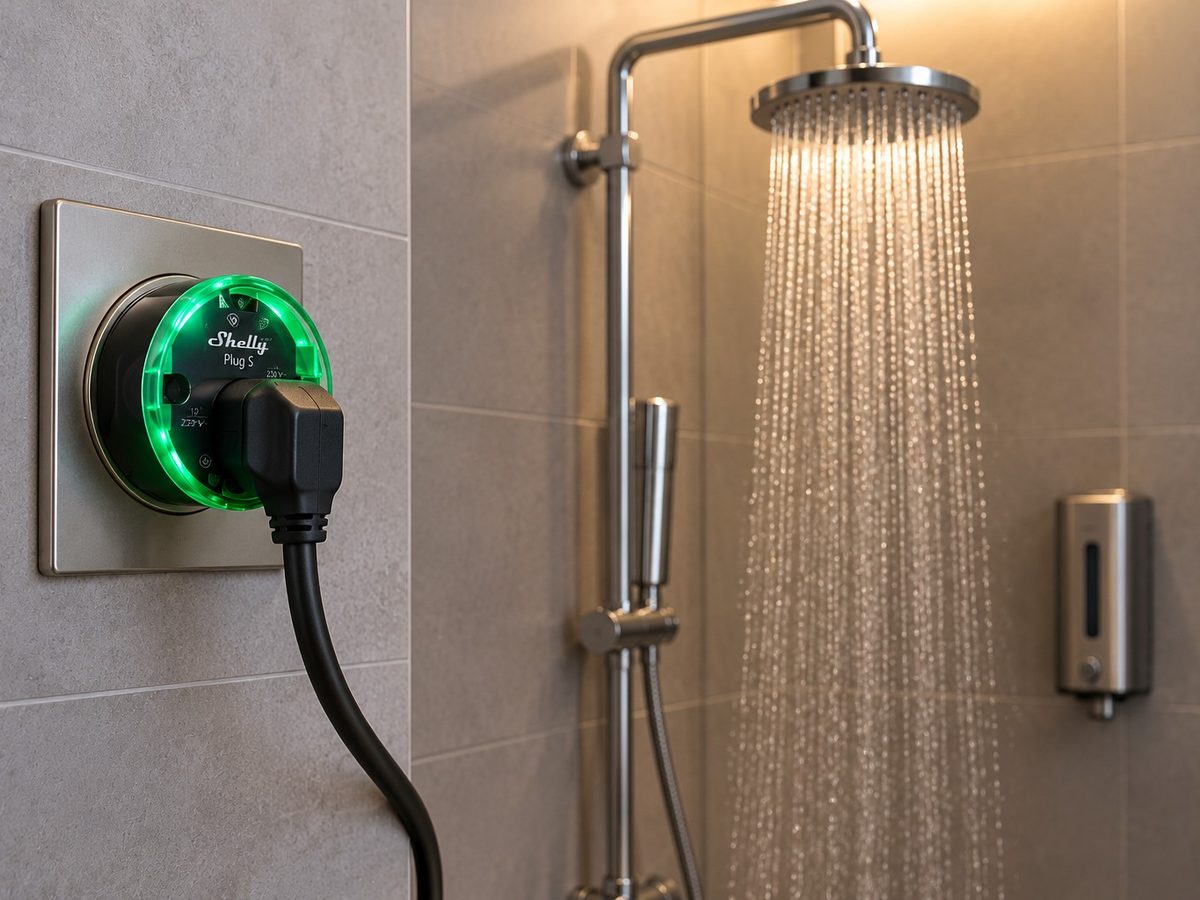
You install the appliance you want guests to pay for yourself, or have your own installer do it. It can be anything: an electric door lock, a hot water valve for the shower or a washing machine. That is your choice.
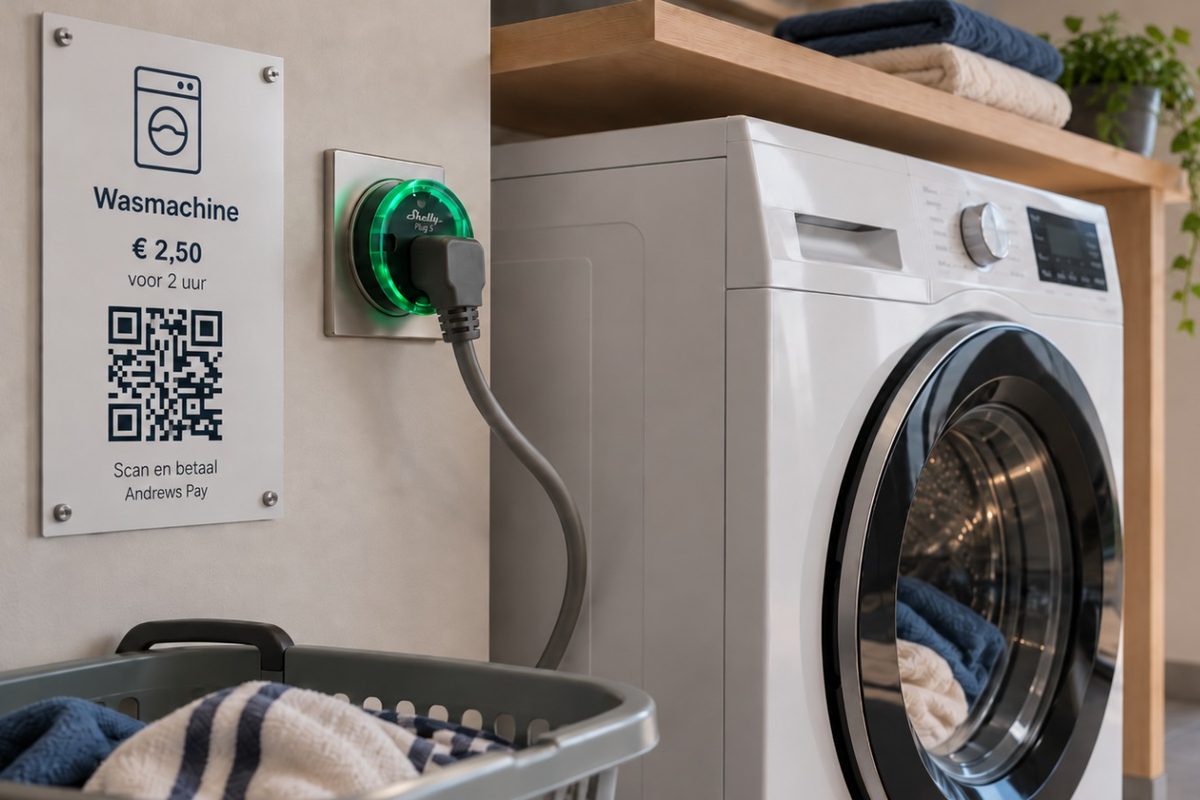
The appliance gets its power through a Shelly smart plug. In your portal you create a payment page with your own prices. When a guest pays, the plug switches on for the paid time, and off again by itself afterwards. No more coins, tokens or keys.
- Electric door lockFor the entrance to your showers or laundry room.
- Hot water valveFor hot water in the shower, per paid time.
- Washing machine or dryerThe plug powers it for as long as was paid.
For the guest
It's that simple.
-
Scan the QR code
The guest scans the QR code next to the appliance.
-
Pay by phone
The guest pays safely and easily with their phone.
-
Switches on and off by itself
After paying, the appliance switches on. The time runs and it stops by itself.
Why a smart plug?
Easier than a traditional installation.
-
No relays or electrician needed
Traditional payment systems need relays and electrical work. A smart plug simply goes into the socket.
-
Easy to replace
A plug breaks? Put in a new one, connect it in your portal, done.
-
No installation costs
You only pay the monthly fee. Transaction fees only go to SumUp, not to me.
What do you need?
A few simple things to get started.
- Your own applianceFor example a door lock, hot water valve or washing machine, installed by you.
- Shelly smart plugsOne per appliance, to switch it on and off.
- 2.4 GHz Wi-FiA stable 2.4 GHz Wi-Fi connection on site.
- A SumUp accountTo receive the payments, from €1.00 per payment.
How do you install it?
Connect an appliance to your payment portal in three steps.
-
Connect the plug to Wi-Fi
Plug in the smart plug and connect it to the 2.4 GHz Wi-Fi network at the location.
-
Configure the plug
Change a few settings for the plug in the Shelly app so Andrews Pay can switch it on and off.
-
Set up the payment page
In your payment portal's admin page, connect the SumUp API, select the plug and set the price and usage time. You can then print the QR codes from the portal.
Want a more detailed explanation? Create an account, then view the guide in your payment portal.
Frequently asked questions
Which appliances can I control?
Anything that can get its power through a plug, such as an electric door lock, a hot water valve for the shower or a washing machine. Which appliance you choose and how you install it is up to you.
Does an electrician need to come?
Not for Andrews Pay. The smart plug goes into a normal socket, without relays or extra wiring. You install the appliance itself, or have your own installer do it.
Does this work without an app?
Yes. Your guests scan the QR code with their phone's camera and pay in the browser. They don't need to install anything.
Can I add several showers or appliances?
Yes. You add up to 6 appliances in your portal, each with its own smart plug, price and time. Need more? Get in touch and we'll find a solution together.
How does my business receive the money?
Straight to your own SumUp account. It never goes through Andrews ICT. SumUp does charge its own transaction fees.
What is the minimum amount per payment?
€1.00. SumUp does not accept smaller payments, so every appliance costs at least €1.00 per use. Your portal checks this for you.
What if the Wi-Fi goes down?
If a plug is offline, its appliance shows as “temporarily out of order” to guests and nobody can pay for it, so nobody pays for something that won't switch on. You get an email when a plug has been offline for 10 minutes, and another when it is back. After the paid time the system keeps sending “off” until the plug confirms it. For a door, always have a fallback, such as a key on site.
Can regular guests or staff use it without paying?
Yes, with an access code. You decide where a code works, how often (unlimited, or for example twice a day) and from when until when. The code is emailed to the guest.
Can I sell shower cards or bundles?
Yes. You sell, for example, 10 or 100 showers in one go, at a price you choose. The guest pays once and gets the uses as credit on an access code. You decide where the bundle works, how long it is valid, and whether something is included, like the door with a shower bundle. You switch bundles on whenever you like.
Make paying easy for your guests.
Start with Andrews Pay today.